Choose your capacity
Choose a plan based on maintenance-user count and service needs.
CMMSAI connects work orders, preventive maintenance, assets, labor, materials, and requests in one maintenance workspace. Start with the records your facilities team needs today, then use reports and FIA to understand the work.
CMMSAI keeps initial setup focused on the decisions needed to begin: team capacity, workspace details, locations, work types, priorities, and the first maintenance users.
Choose a plan based on maintenance-user count and service needs.
Create your workspace and first administrator account, then confirm the initial location, work types, and priorities.
Start with requests, work orders, PM schedules, assets, materials, labor, dashboards, and reports.
CMMSAI focuses on the workflows facilities teams rely on every day, then adds dashboards, reporting, notifications, and FIA to help teams understand and act on maintenance data.
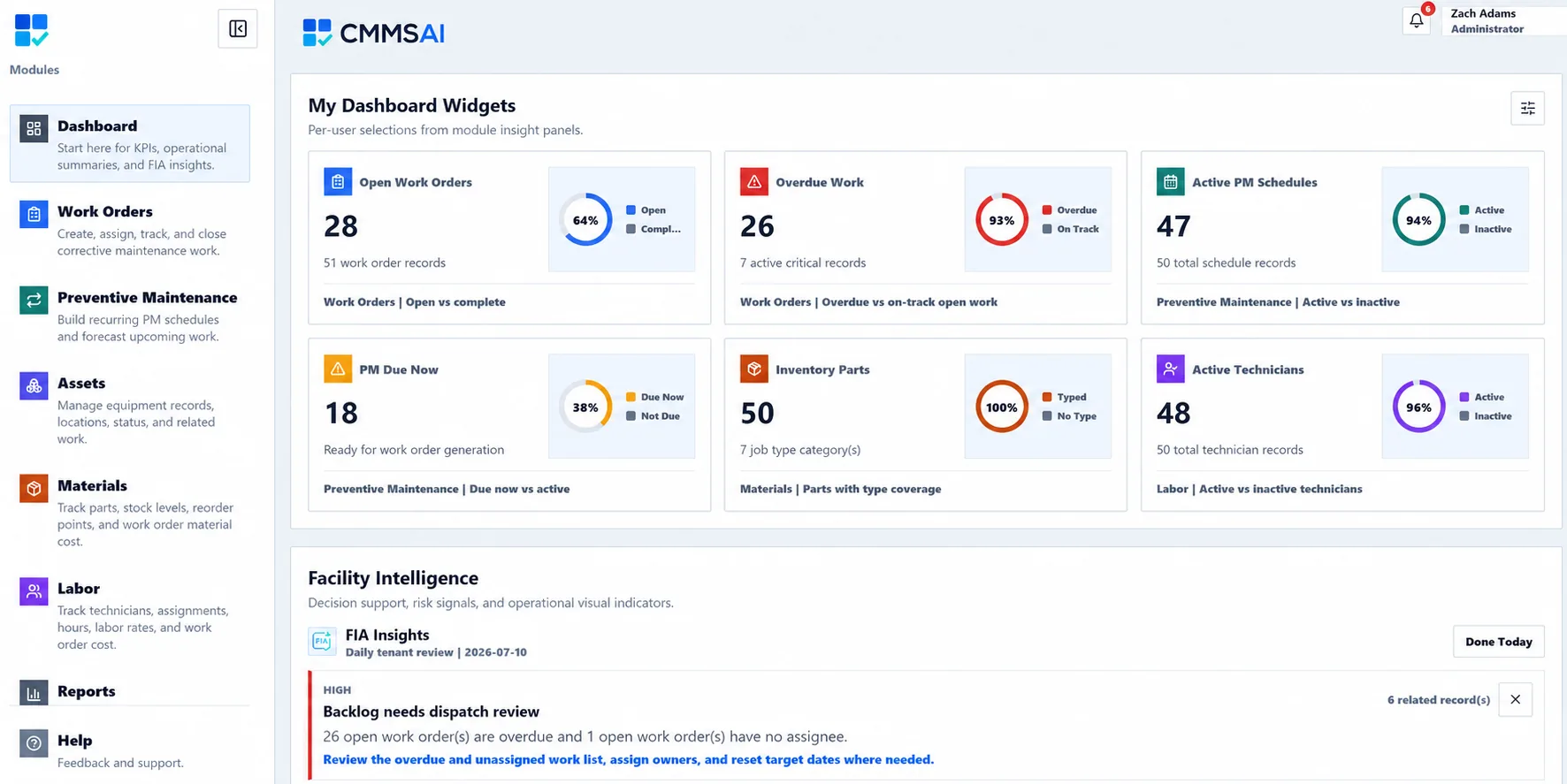
Follow workload, overdue work, assignment coverage, and closeout needs with personal widgets and FIA insights.
Create, assign, map, and complete maintenance work. Filter overdue items to focus the queue.
Build recurring PM schedules and forecast upcoming work.
Keep equipment identity, maintenance history, and location together, with an optional map pin for each asset.
Track parts, stock levels, reorder points, and material costs.
Track technicians, assignments, hours, labor rates, and work order cost.
Explore 17 Facility Intelligence reports, or build filtered views of work, assets, PM, labor, and cost.
Let requesters submit issues, track their status, and follow approved work.
Ask facility questions in plain language and get answers from your CMMS context.
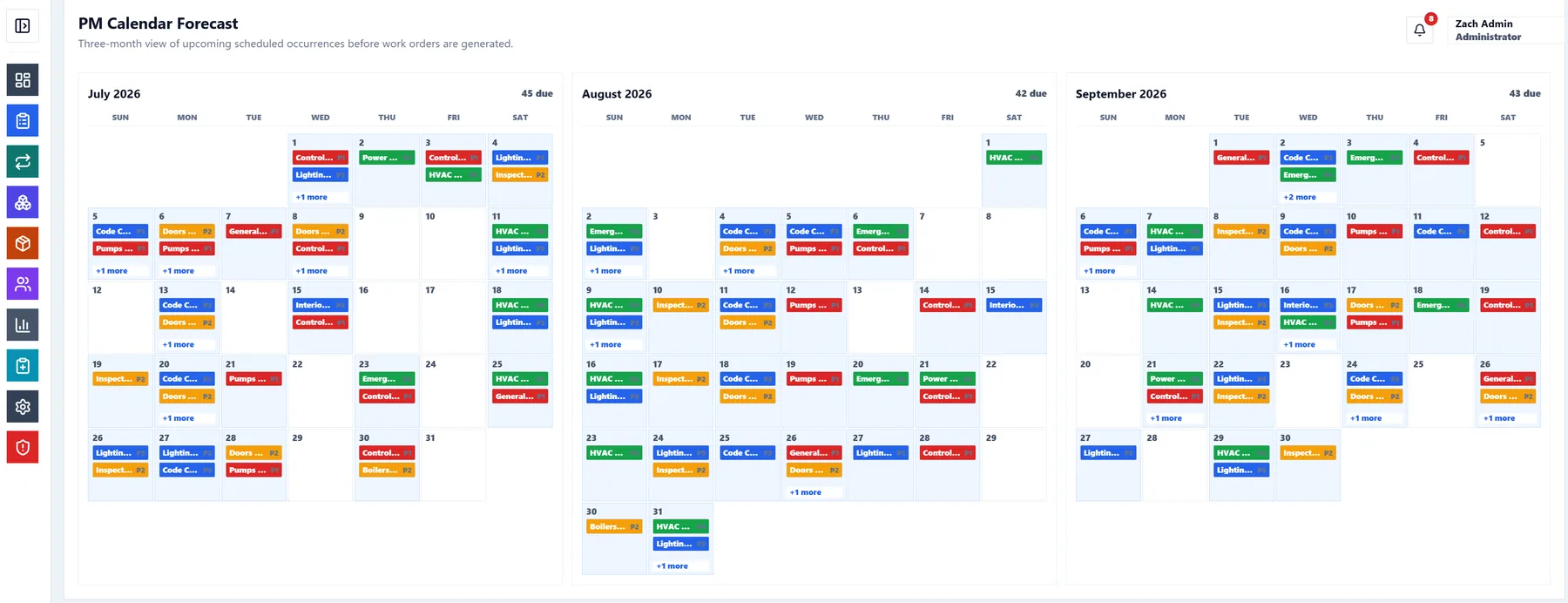
See upcoming scheduled occurrences before work orders are generated.
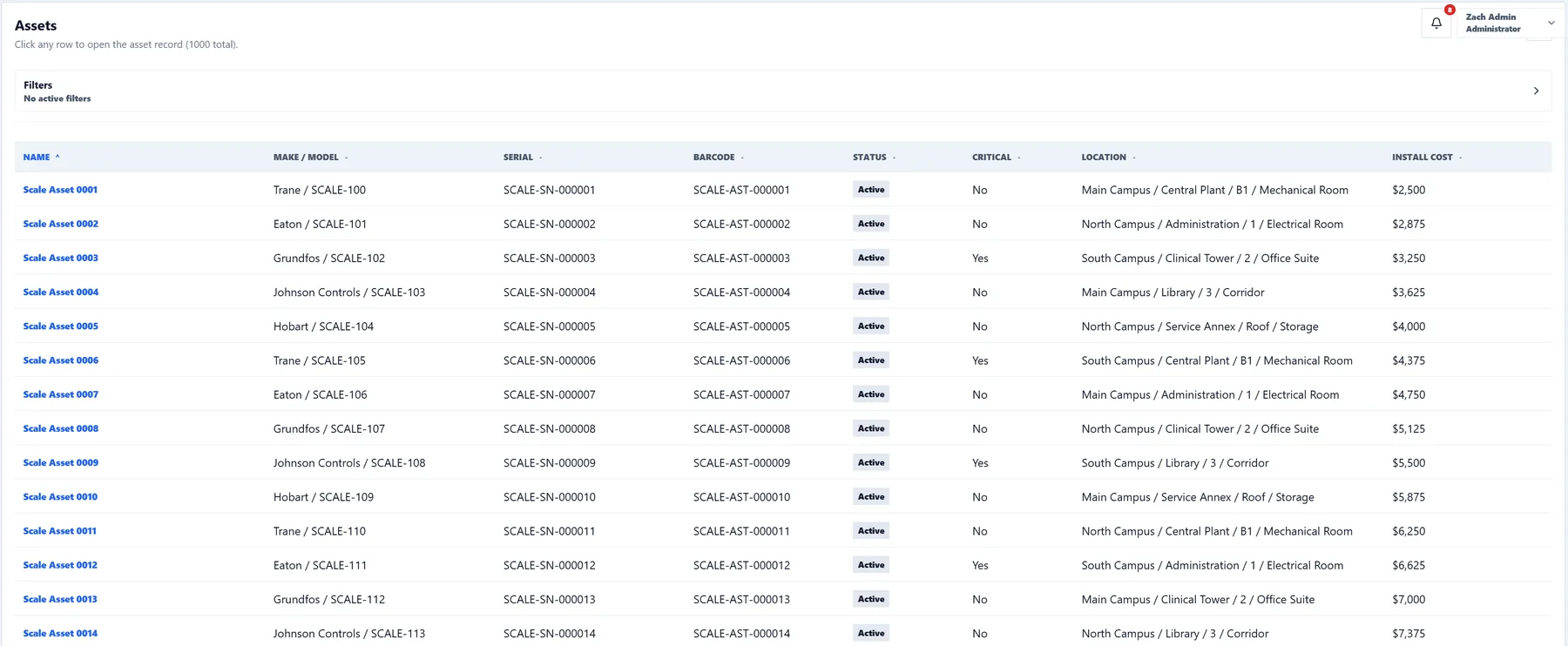
Track identity, status, criticality, lifecycle, barcode, location, and an optional equipment pin.
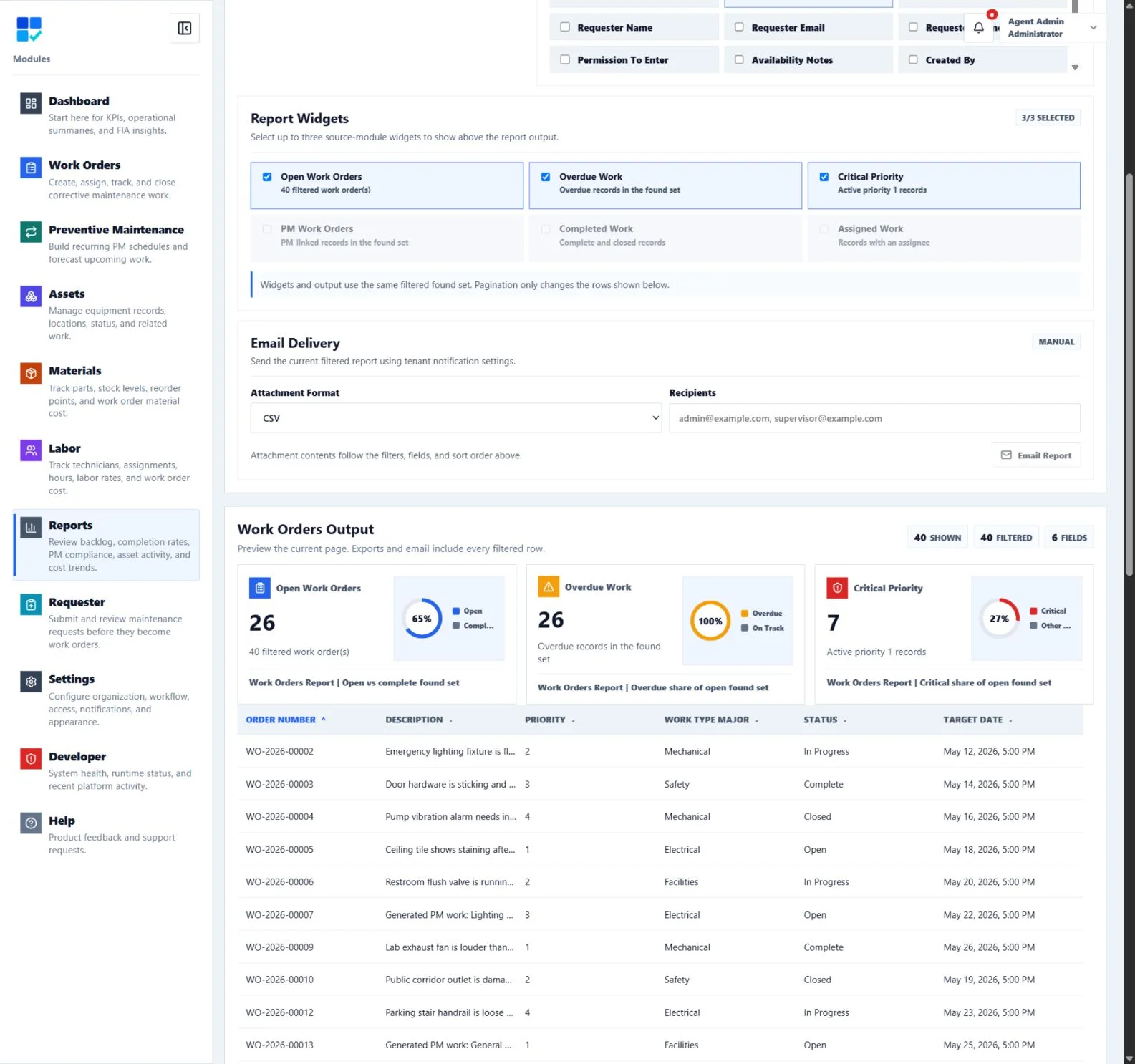
Review backlog, completion trends, PM performance, asset activity, and cost visibility.
Requesters can submit issues with location, contact details, availability notes, and attachments. Maintenance teams can review the intake queue before approving requests into the work order process.
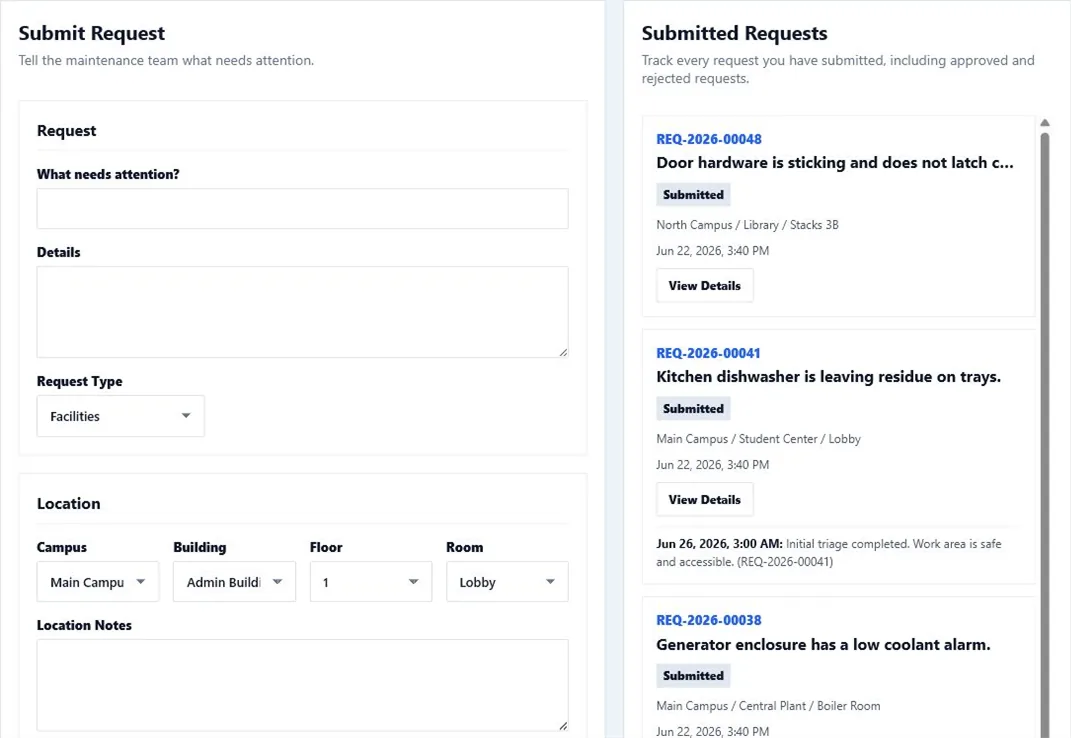
Capture the problem, location, requester contact, permission to enter, and supporting files.
Requesters can monitor submitted, approved, and rejected requests without calling the maintenance desk.
Approved requests move into the maintenance workflow with the context technicians need.
CMMSAI keeps the operating surface familiar and practical: module navigation, clear work queues, dashboard insights, and consistent screens for everyday maintenance work.
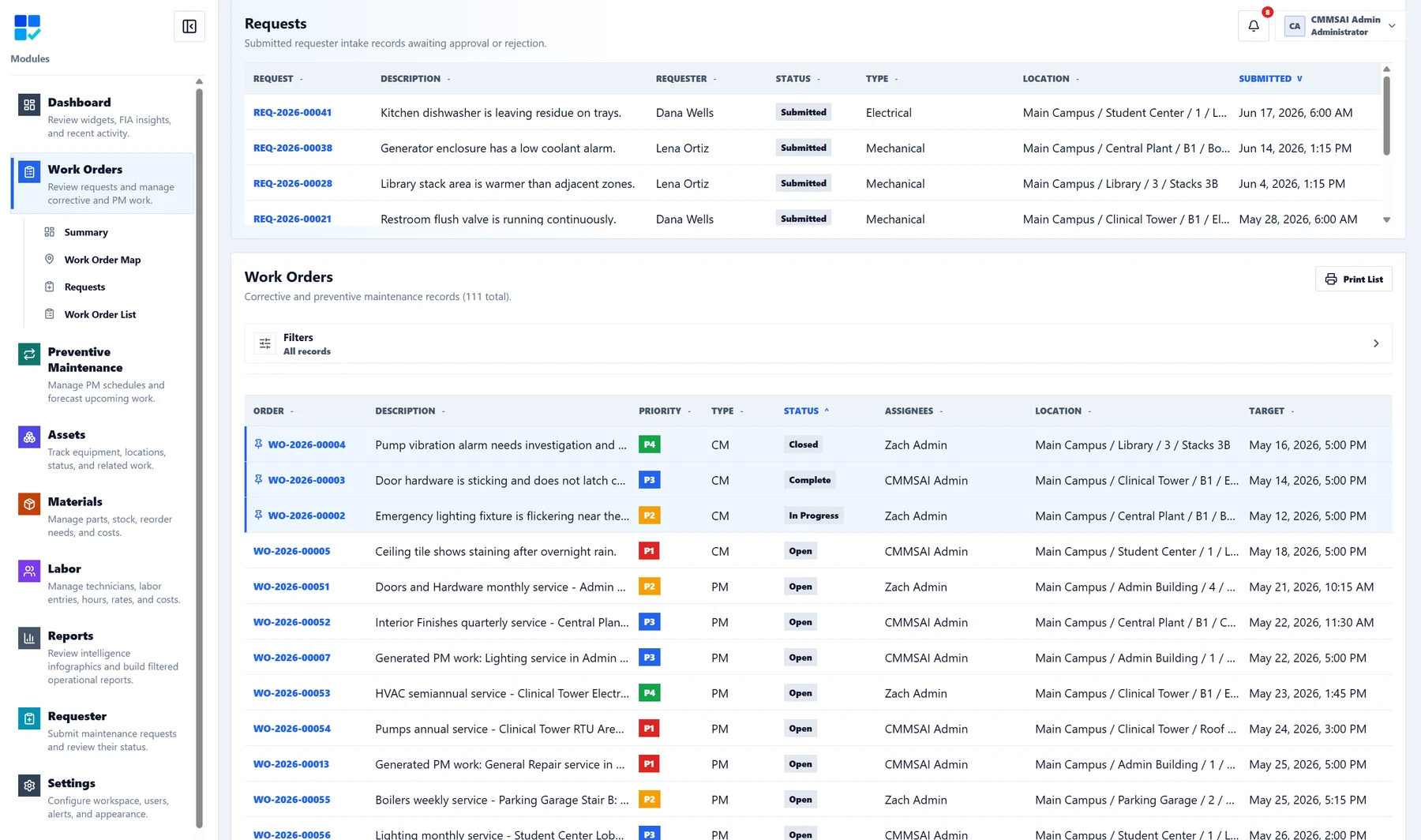
Choose from six workspace styles, including Facility Blue, high contrast, dark mode, and Caution Orange with warm surfaces and high-visibility accents.
Filter active Work Orders past their target date, then combine that view with status, priority, assignment, and location filters.
Pin useful module widgets to your Dashboard and follow backlog, assignments, preventive work, and records that need closeout attention.
Work Orders, PM schedules, Assets, Reports, Labor, and Materials share predictable controls and responsive layouts.
Print records, lists, and reports with CMMSAI branding and a print timestamp for field use and internal review.
Preview the selected location, then click the map to place an Asset or Work Order pin. Pins add geographic detail while preserving your campus, building, floor, and room fields.
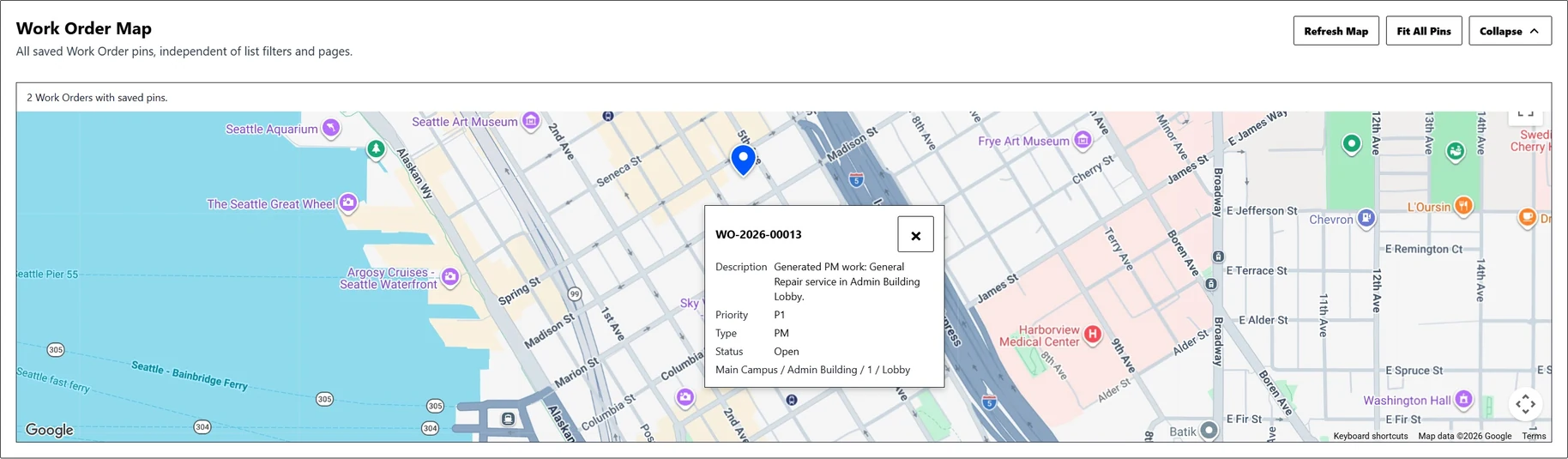
Keep the building and room that organize your records, then add an optional pin in the Asset detail.
Open a map preview when it is useful. The map area keeps a steady size, and your preview choice is remembered as you navigate.
Ask FIA plain-language questions about maintenance records available to your account. FIA helps find and summarize information; your team reviews the answers and decides what to do.

Main Campus has 7 overdue active work orders. The highest-priority items are boiler room lighting, AHU inspection, and stairwell fixture repair.
Start with the boiler room lighting work order. It is priority 1, assigned to Terry Technician, and tied to Central Plant access where two related requests were submitted this week.
Find answers without memorizing reports, filters, or module paths.
Ground answers in work orders, PM schedules, assets, materials, labor, and audit history.
Ask FIA is read-only. Your team stays in control of record changes and maintenance decisions.
Administrators can review dashboards on desktop, technicians can update work from a phone, and requesters can submit issues without needing full app access.
Plan, review, report, manage users, configure settings, and see the full facility picture.
Review work and capture field context while moving through buildings and facilities.
Review overdue work, add notes and photos, check record locations, and keep the day moving.
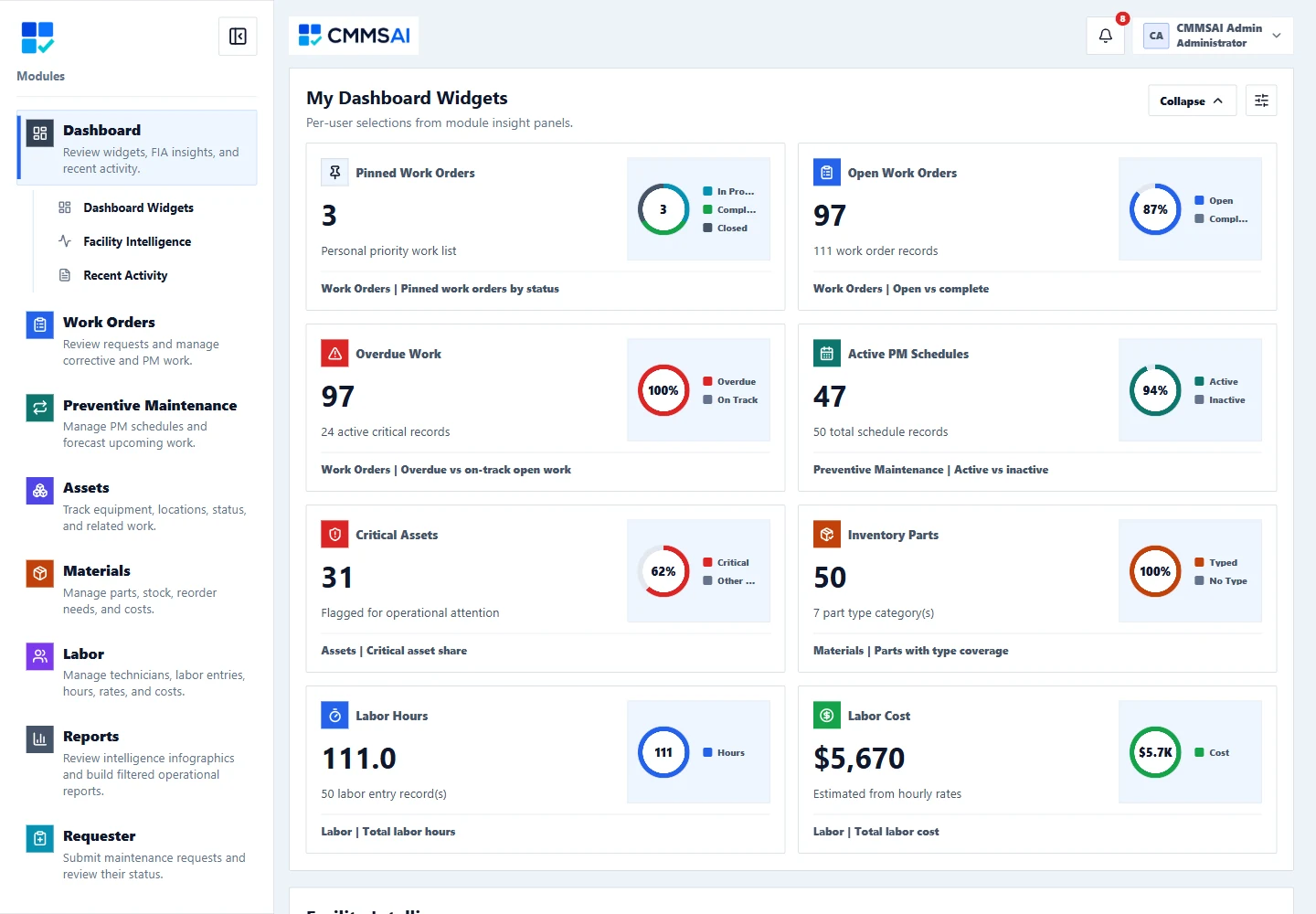
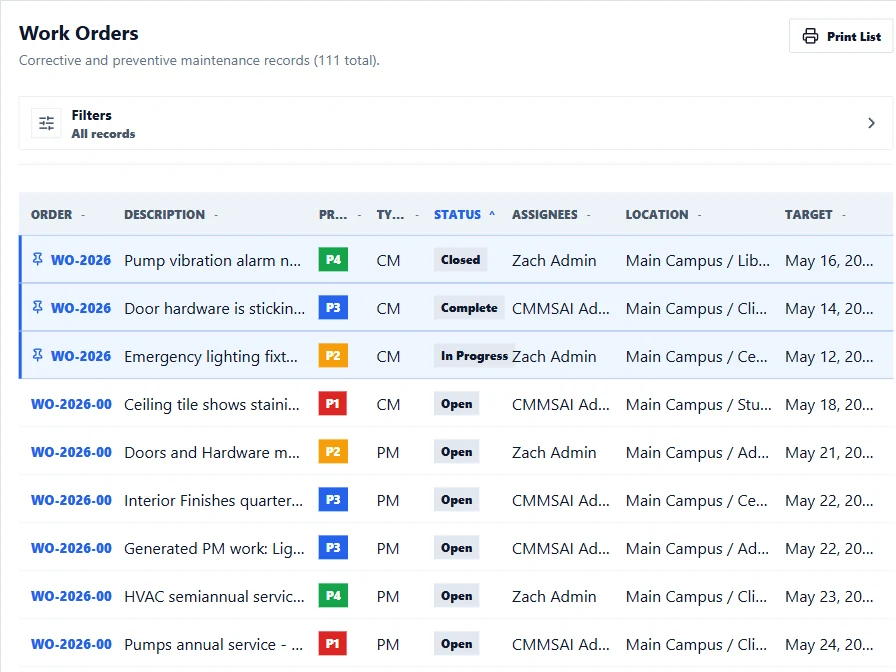
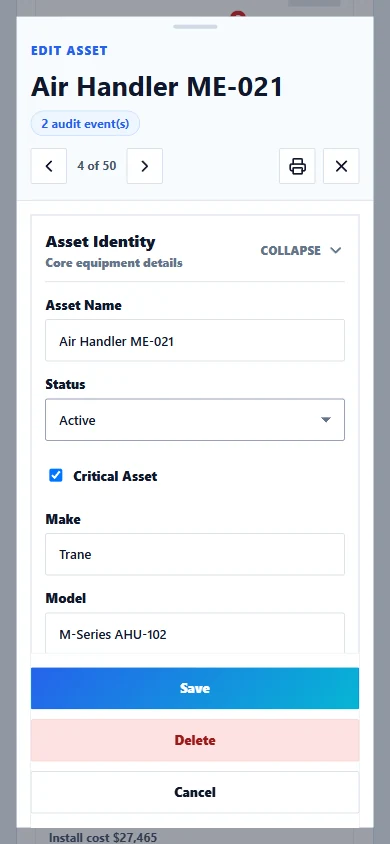
See how a shared workspace supports setup, field access, recordkeeping, and everyday maintenance questions.
Scattered files and separate tools make it difficult to establish a shared maintenance workflow.
Create a workspace and begin with core maintenance workflows the same day.
Searching separate spreadsheets, emails, and records takes time and can miss useful context.
FIA is built around facility records and answers questions from operational context.
Information kept at a desk can be difficult to reference and update during field work.
A responsive web app for desktop, tablet, and phone, with requester- and technician-friendly workflows.
Separate tools make it harder to connect work, equipment, labor, parts, and maintenance history.
The essential CMMS modules first: work, assets, PM, materials, labor, reports, users, and notifications.
Choose by maintenance-user count and service needs. Requester-only accounts do not count toward the plan limit. Administrators can configure Google SSO after setup.
For small maintenance teams moving off spreadsheets.
For growing facilities departments standardizing work.
For larger campuses and institutions with broad teams.
For larger organizations that need migration, training, and integrations.
Pick a time that works for you and walk through CMMSAI with us. We will focus the conversation on your facilities, maintenance workflow, team, and implementation questions.
Enter the purchaser email to start checkout. After purchase, CMMSAI sends a secure onboarding link so you can create the workspace and first administrator account.