Choose how often
Set the interval your equipment needs, such as every two weeks or every three months. Use the forecast to check upcoming dates in your workspace time zone, including shorter months.

Set recurring schedules, see what is coming due, and generate work orders with the equipment and checklists your technicians need.
A PM schedule should make it clear what needs servicing, when it is due, and which steps the technician needs to follow.
Set the interval, next due date, equipment, location, assignment, and checklist in CMMSAI. Your team reviews due schedules and generates the work orders, with those details carried across.
Set the interval your equipment needs, such as every two weeks or every three months. Use the forecast to check upcoming dates in your workspace time zone, including shorter months.
Select the equipment and checklist once. They carry into each work order generated from the schedule.
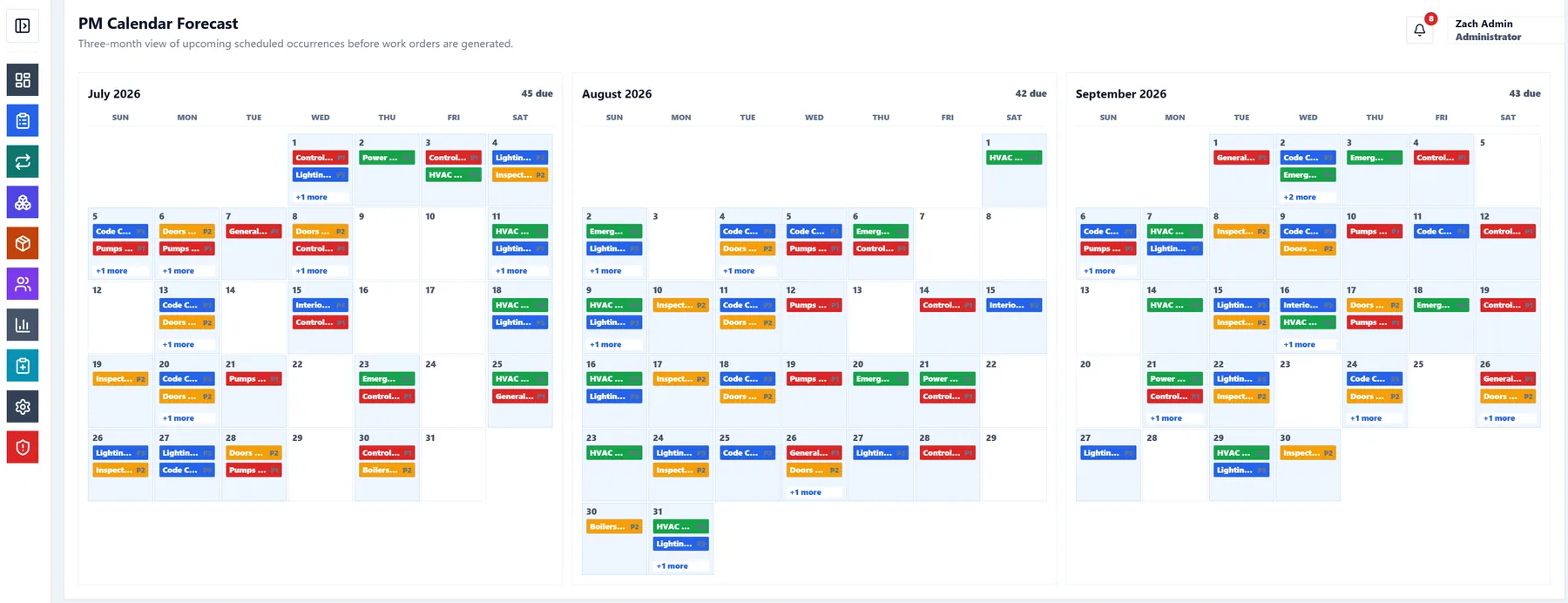
Switch between three- and twelve-month calendar views. Select a day to see upcoming service and priorities, or open a schedule’s generation history to see the Work Orders it already produced.
Keep the interval, next due date, job details, and equipment on the schedule. Check upcoming dates in the forecast, then generate work orders from schedules that are due.
Watch the PM Schedules walkthrough →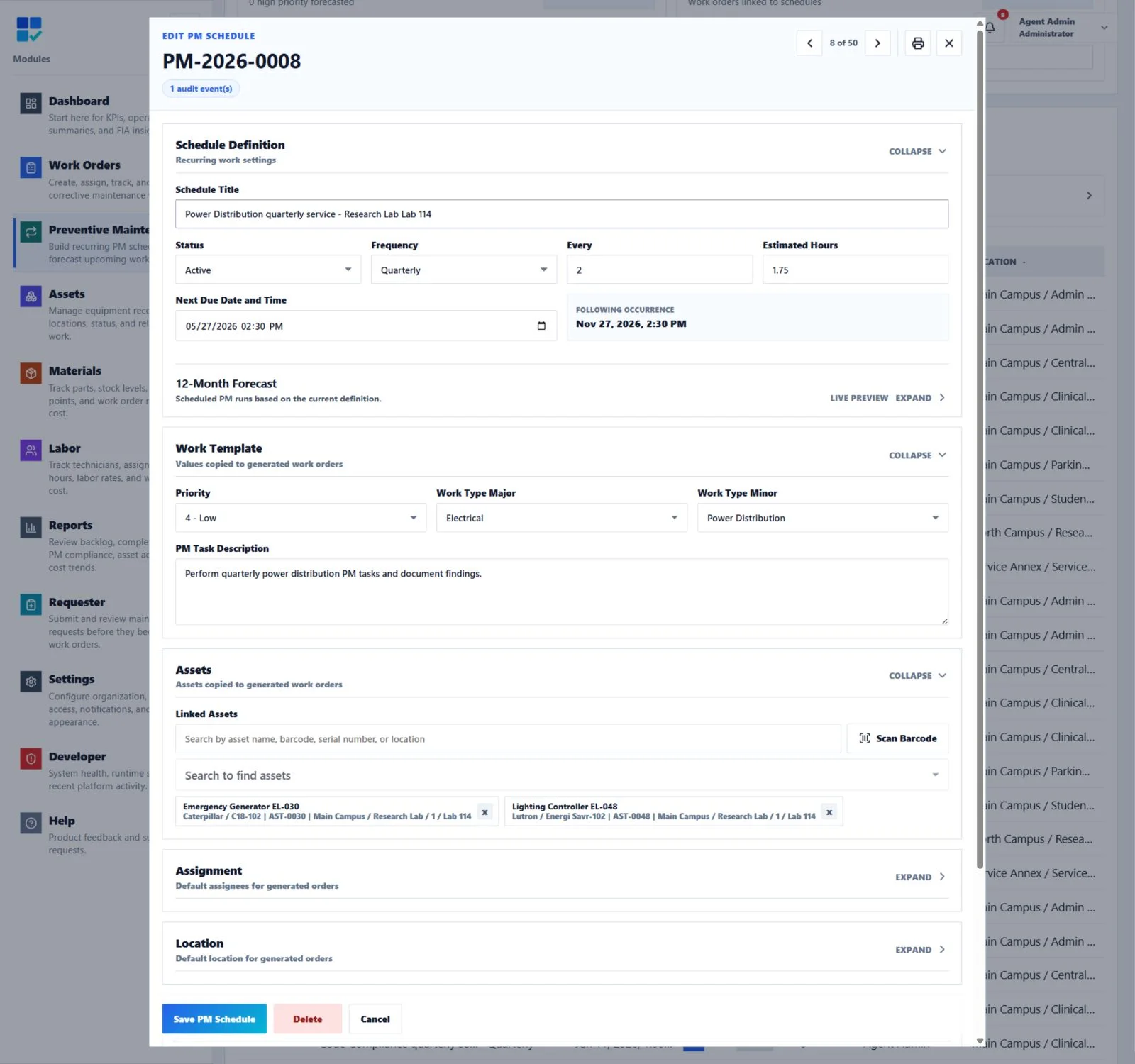
Choose the interval and next due date, then set the location, work type, priority, and estimated hours.
Select the covered assets, assignment, notes, and checklist template that technicians will need.
Review the schedules that are due and generate the work orders. Equipment links and checklists carry across, and the schedule keeps a history of the work it generated.
Use the calendar, schedule history, completed work orders, and reports to see what is coming up and what still needs attention.
Yes. Link multiple assets to a schedule. Each generated work order includes those assets so technicians can see which equipment to service.
CMMSAI checks the schedule’s due date and generation history to avoid creating another work order for the same scheduled PM.
Yes. Add a checklist template to the schedule. Its steps are copied into each generated work order for the technician to complete.
Yes. Each schedule has a 12-month forecast that updates as you edit it. The PM calendar brings upcoming dates from your schedules together.
Yes. A paused schedule remains available for review but does not generate Work Orders until it is active again.
Set a recurring schedule, link the equipment and checklist, and review the upcoming PM forecast. Preventive maintenance is included in every plan.