Prioritize and assign
Set priority, work type, target date, location, and assignment. Use the Overdue filter to focus on active work past its target date, alongside your other list filters.

Create clear maintenance work, assign the right person, capture field activity, and give supervisors a reliable view of priorities, backlog, cost, and completion.
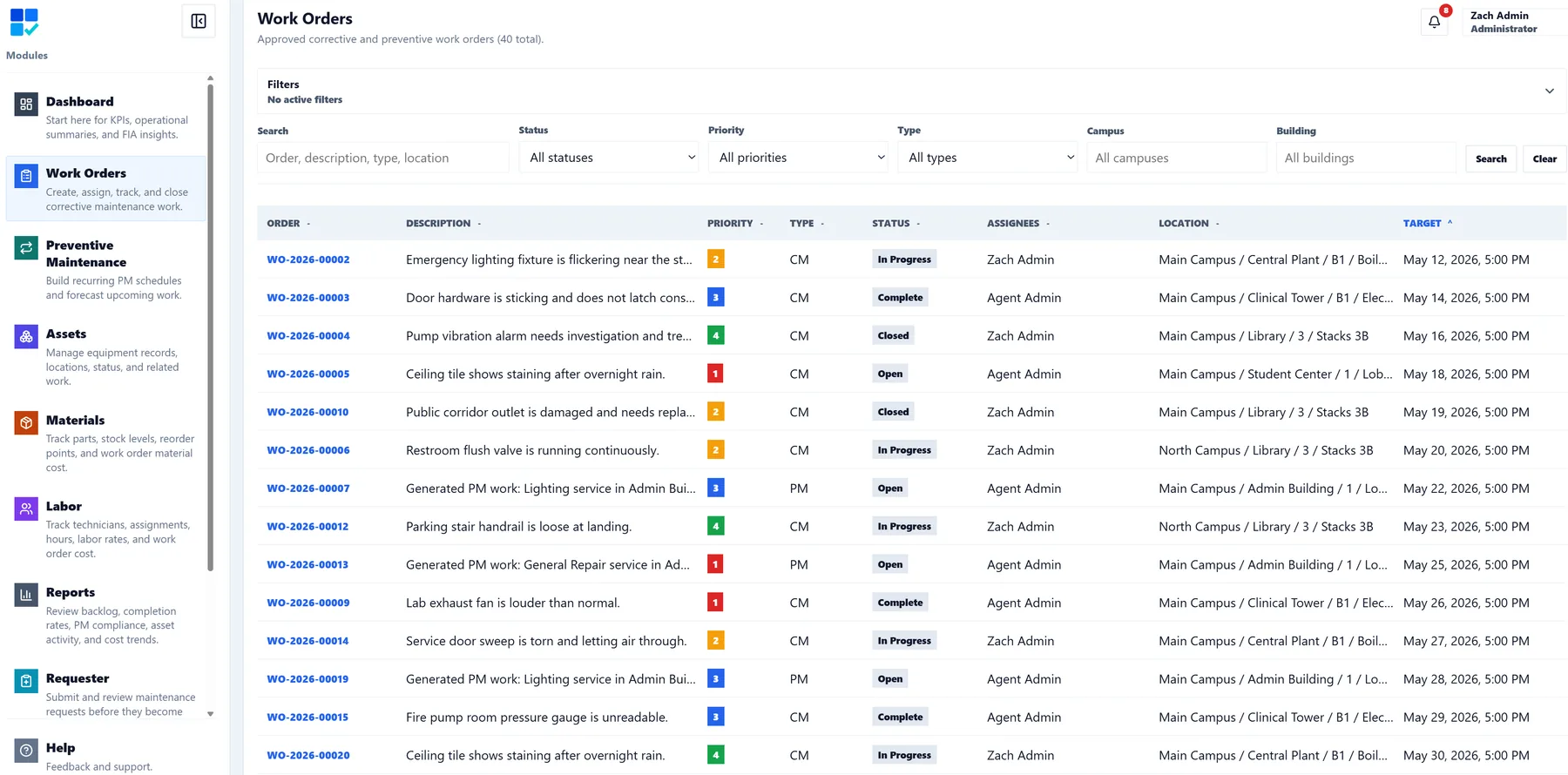
A work order should answer the questions the team asks in the field: what needs to happen, where is it, which asset is involved, who owns it, how urgent is it, and what has already been done?
CMMSAI keeps those details together with notes, files, photos, checklist procedures, labor, material usage, status history, and completion information. Supervisors get structure without forcing technicians through unnecessary administrative steps.
Each capability supports execution today and a better maintenance history tomorrow.
Set priority, work type, target date, location, and assignment. Use the Overdue filter to focus on active work past its target date, alongside your other list filters.
Link one or more assets, add checklist procedures, and keep the equipment and required steps visible throughout execution.
Record technician labor, hours, rates, material quantities, notes, photos, files, and completion history against the work itself.
The Work Order detail brings classification, status, linked assets, assignment, and location together. Add an optional map pin without changing the location fields, then review saved pins in the Work Order Map.
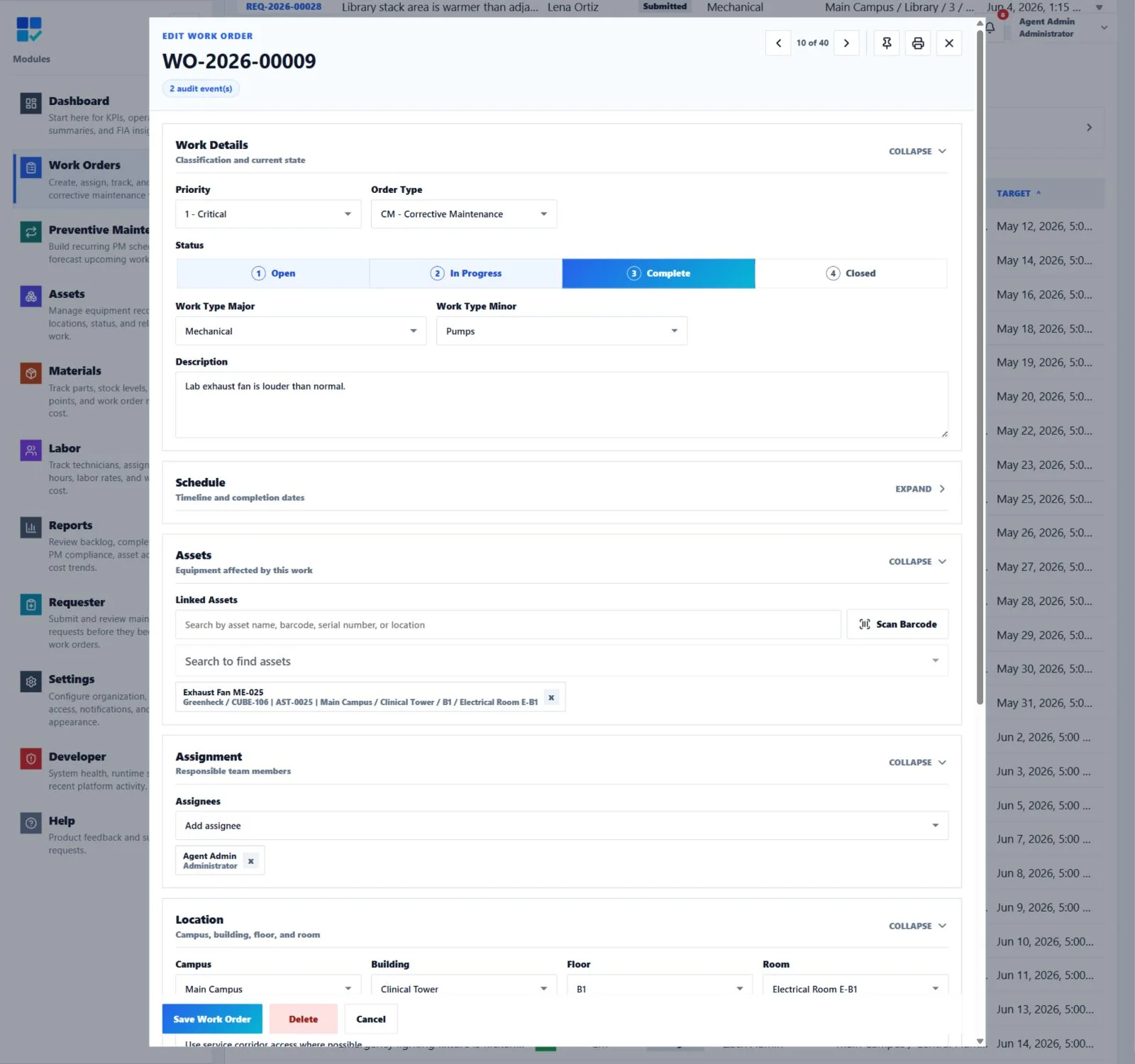
Enter corrective work directly or approve a requester submission into the maintenance queue.
Add the location, assets, priority, dates, assignment, attachments, and checklist needed for safe execution.
Update status, document findings, complete procedures, and record labor and materials from the device at hand.
Confirm checklist status, store the completion time, retain audit history, and reopen cleanly if additional work is required.
Yes. A work order can link to multiple assets while preserving equipment context in lists, details, and printable records.
CMMSAI is a responsive web application designed for desktop, tablet, and phone workflows, including notes, status updates, photos, labor, materials, and checklist activity.
Yes. Authorized maintenance users can review a requester submission and approve it into the corrective work order lifecycle without re-entering the original request.
Yes. Work Order details have a print-friendly record with core information, related maintenance context, CMMSAI branding, and a print timestamp, with additional pages when needed.
Yes. Audit history records changes so authorized users can review how the work order developed from creation through closeout or reopening.
Yes. The Overdue filter shows active Work Orders past their target date. Combine it with status, priority, assignment, and location filters; completed, closed, and requester intake records are excluded.
Yes. The Work Order Map shows all saved Work Order pins, independently of list filters and pages. Select a pin to preview its description, priority, type, status, and location.
Give your team one place to plan, execute, document, and review every work order.