Buildings and locations
Use a configurable campus, building, floor, and room hierarchy, then add optional Asset and Work Order map pins for more precise field context.
Coordinate equipment identity, work orders, preventive maintenance, technicians, labor, materials, cost, and reporting across the buildings your team supports.
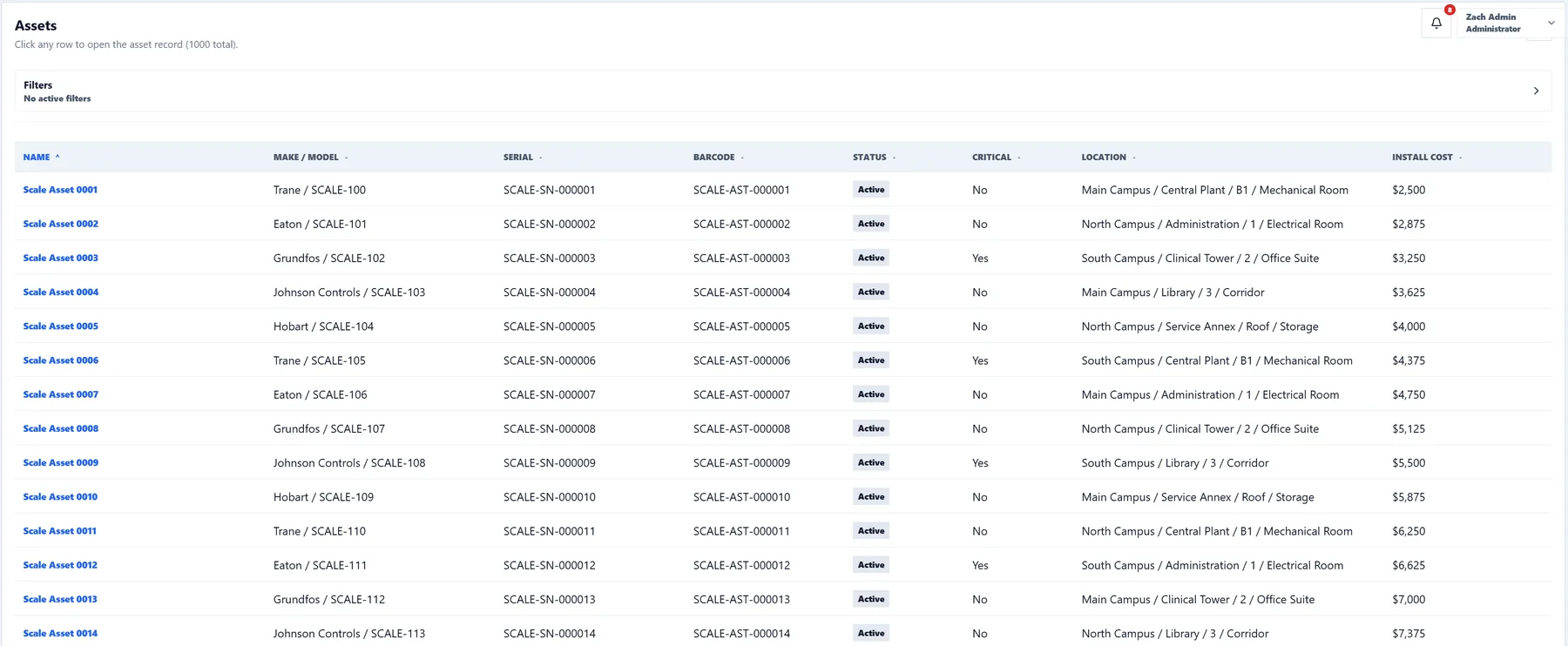
Asset management is more than an equipment list. Teams need to understand where each asset is located, whether it is critical, what work has been performed, what preventive service is due, and what the equipment costs to maintain.
CMMSAI provides a shared maintenance model for those responsibilities. Locations give work and assets physical context, while workspace settings let each organization define the hierarchy, work types, priorities, numbering, notifications, roles, and visual experience that fit its operation.
Use a configurable campus, building, floor, and room hierarchy, then add optional Asset and Work Order map pins for more precise field context.
Track equipment identity, status, criticality, warranty and contract context, photos, files, related work, and preventive schedules.
Connect technicians, assignments, labor, material usage, backlog, completion, PM activity, and facility intelligence for operational review.
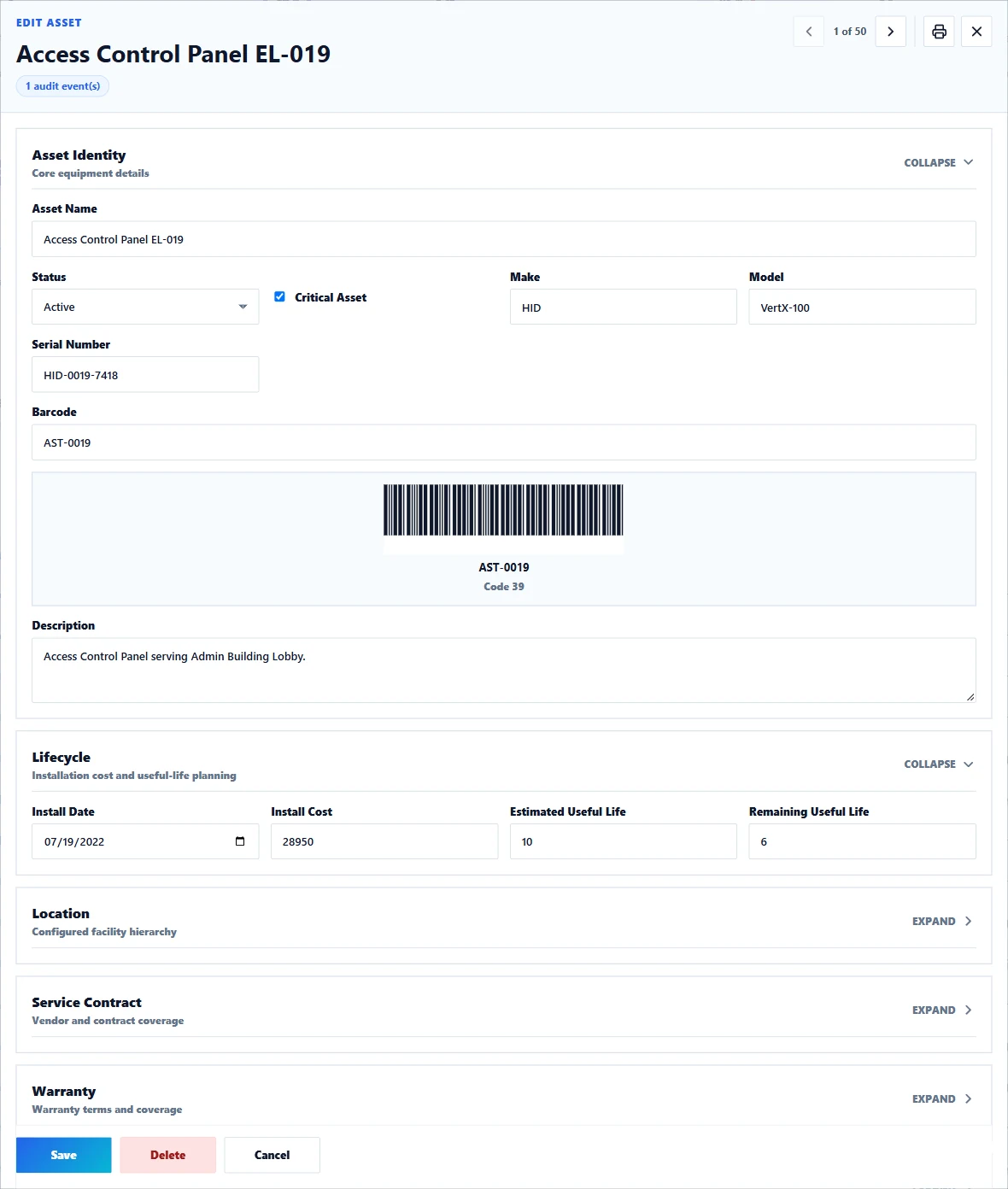
Identity, make, model, serial number, status, location, purchase information, files, photos, and related maintenance stay attached to the asset. Preview the selected location and click the map to place an optional pin without changing the location fields.
Capture a request or work order with the exact location, asset, priority, and description required for triage.
Assign eligible maintenance users, set target dates, add procedures, and make the work visible to the responsible team.
Technicians document findings, photos, labor, materials, checklist completion, and equipment context from a responsive interface.
Use reports, dashboards, asset history, PM forecasts, and facility intelligence to review backlog, critical assets, maintenance cost, and follow-up.
Yes. Workspace location settings support campus, building, floor, and room levels, allowing records to use the hierarchy appropriate to the organization.
Yes. Roles and permissions provide focused access for administrators, operators, technicians, and requesters.
CMMSAI is responsive across desktop, tablet, and phone, allowing supervisors and technicians to access operational records while moving through facilities.
Asset records can include identity, make, model, serial number, barcode, location, status, criticality, photos, files, warranty and service-contract details, related work, and preventive schedules.
Yes. Assets have print-friendly detail records, and filtered asset lists can produce Code 39 barcode-label sheets for physical identification workflows.
Yes. Preview the selected location in the Asset detail and click the map to place an optional equipment pin. The saved coordinates supplement the campus, building, floor, and room fields.
Connect the places, equipment, people, and maintenance work required to keep buildings ready.