Focused submission
Present a purpose-built request experience that avoids the navigation and administrative controls used by maintenance staff.
A focused requester portal helps staff and occupants report issues with useful context, follow their requests, and hand approved work to the maintenance team without email chains or duplicate entry.
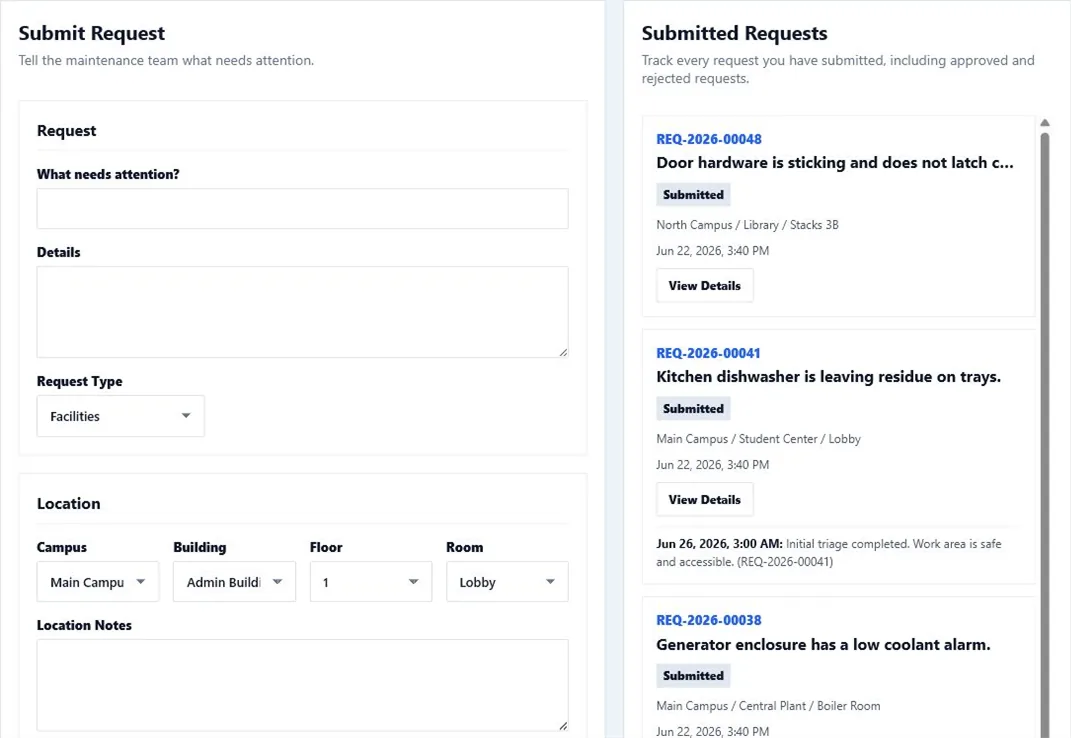
Unstructured maintenance emails and hallway conversations make prioritization difficult and leave requesters unsure whether anyone is responding. A request portal creates a consistent intake path while preserving a low-friction experience.
CMMSAI requesters can describe the issue, identify location and related context, submit supporting information, and review status. Maintenance users retain control of approval, rejection, priority, assignment, and the resulting corrective work.
Present a purpose-built request experience that avoids the navigation and administrative controls used by maintenance staff.
Keep request status and maintenance follow-up connected to the original need so requesters and reviewers share the same record.
Allow authorized maintenance users to approve a request into a corrective work order or reject it without creating duplicate records.
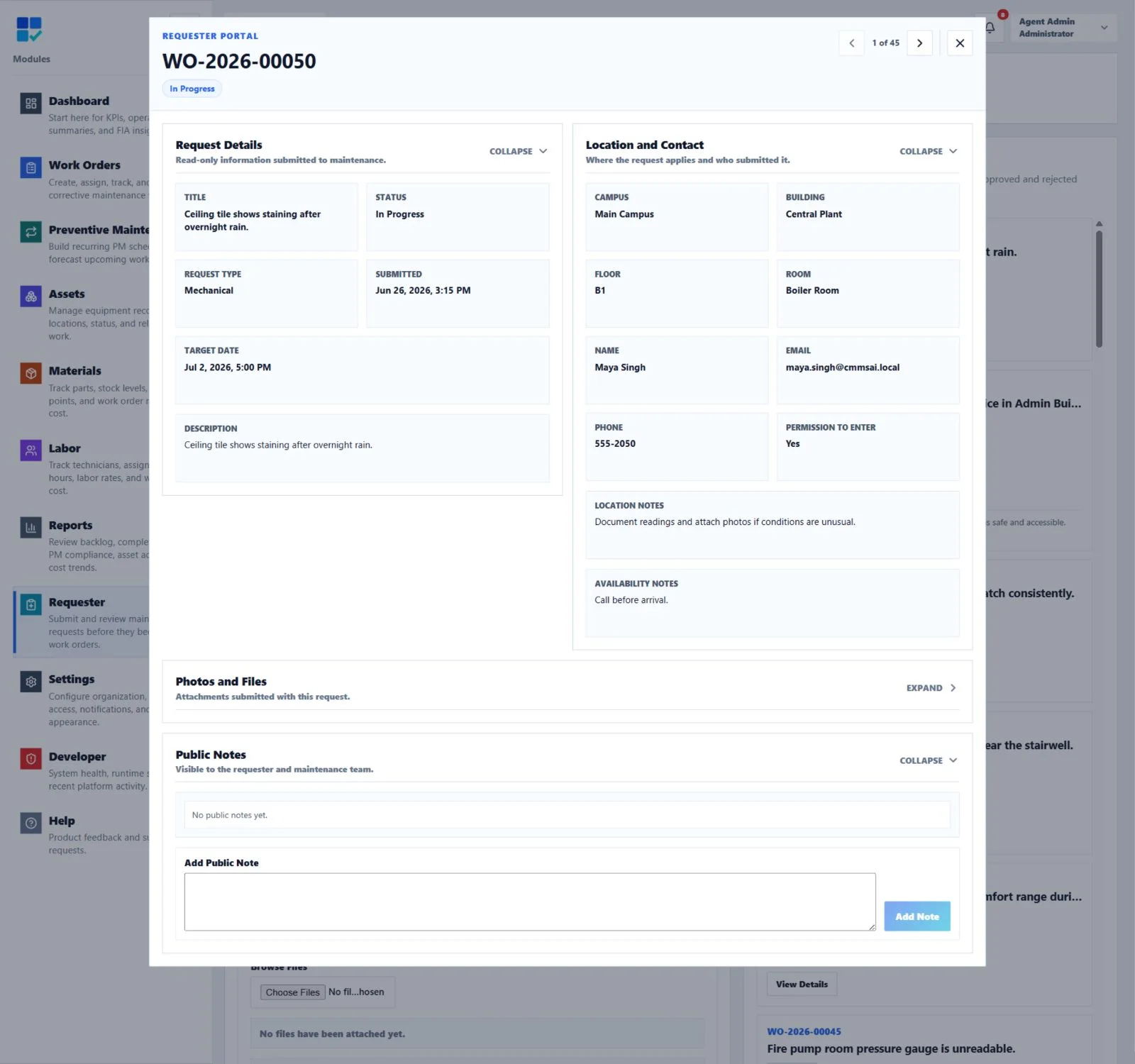
When maintenance approves a submission, the requester keeps a read-only view of the resulting Work Order number, status, target date, location, contact context, and public updates.
The requester describes the maintenance need and provides the location and supporting context available to them.
Maintenance staff evaluate scope, urgency, duplication, ownership, and whether corrective work should be created.
An approved request enters the work order lifecycle, where priority, assignment, assets, dates, and procedures can be added.
The requester sees the status appropriate to their portal while maintenance retains the complete execution and audit record.
No. The Requester role and portal provide focused access for submitting and reviewing requests without exposing the broader maintenance workspace.
Requester-only users do not count toward the paid maintenance-user total, supporting broad requester access without consuming maintenance seats.
With active, tested Google SSO, administrators can optionally enable Requester auto-provisioning for approved email domains. New eligible users receive Requester access.
Yes. Requesters can include contact details, location, a description, and attachments so maintenance has useful context for triage.
Yes. The requester portal shows the request information and status appropriate to that role while maintenance users retain the complete planning and execution record.
Make requests easy to submit, clear to review, and ready to move into accountable work.