Work is slipping through the cracks
Capture requests, review priorities, assign responsibility, and filter overdue Work Orders. Optional map pins give work and equipment more precise location context.

A computerized maintenance management system organizes the people, equipment, locations, schedules, parts, costs, and history behind maintenance work. CMMSAI brings those records into one practical workflow without a drawn-out implementation.
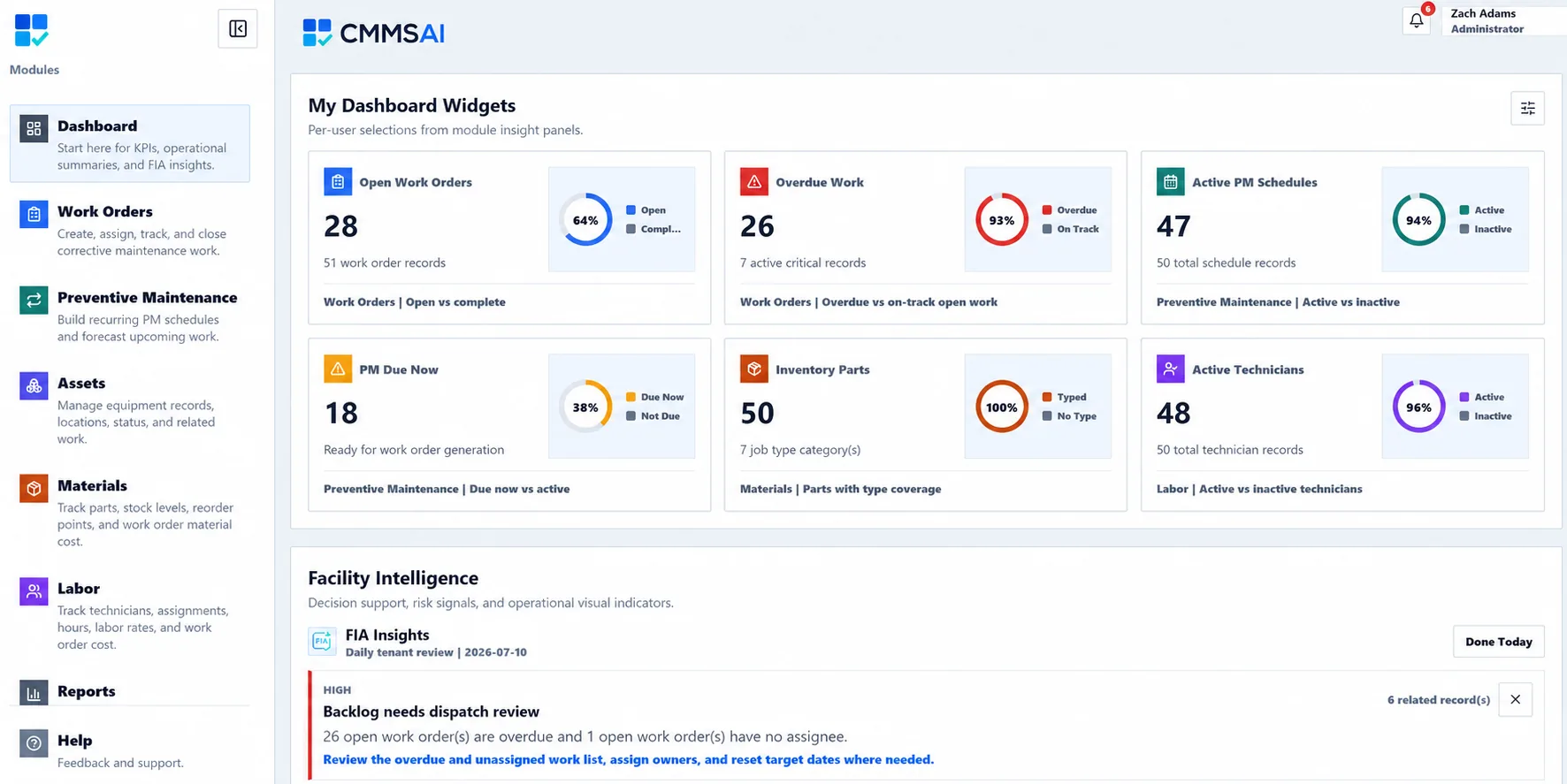
CMMS stands for computerized maintenance management system. It replaces disconnected spreadsheets, inboxes, paper records, and institutional memory with structured maintenance records that the team can find, update, and report on.
CMMSAI lets maintenance teams connect work orders to assets, locations, assignments, checklists, labor, materials, and history. Requester intake provides the context for approved corrective work. Administrators manage the workspace while technicians, supervisors, and requesters receive focused experiences for their responsibilities.
A CMMS becomes useful when the volume, history, or coordination behind maintenance can no longer live safely in separate tools.
Capture requests, review priorities, assign responsibility, and filter overdue Work Orders. Optional map pins give work and equipment more precise location context.
Build recurring schedules, link equipment and procedures, forecast upcoming activity, and generate due work with its maintenance context intact.
Connect labor and material usage to work, retain asset history, and use personal Dashboard widgets and 17 Facility Intelligence reports to review backlog, assignments, PM, and cost.
Filter the operating record by the fields that matter, choose the columns needed for the question, and use those filtered results for exports, print-friendly output, or report widgets.
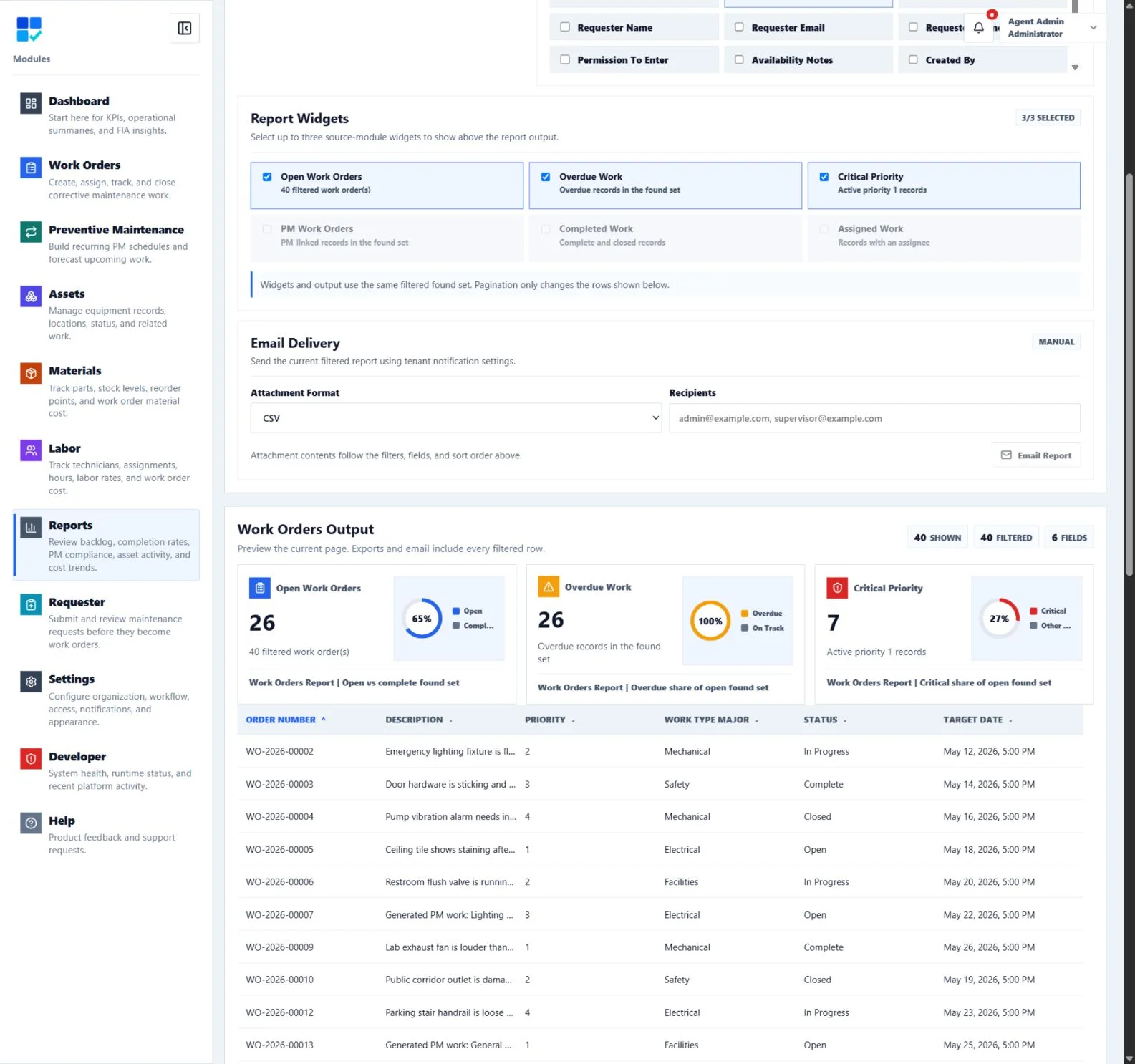
CMMSAI keeps each handoff explicit so the team can see what needs attention, who owns it, and what happened afterward.
Requesters submit issues with location and supporting information. Maintenance users can create work directly or review a request before planning it.
The team reviews the work, sets dates and priority, assigns an eligible user, and adds assets or checklist procedures.
Technicians update status, complete checklist items, add notes, photos, labor, and material usage from the field.
Supervisors use dashboards, reports, audit history, and facility intelligence to review backlog, completion trends, PM activity, and cost.
CMMS stands for computerized maintenance management system: software used to organize maintenance work, equipment, schedules, resources, cost, and history.
CMMS software manages maintenance requests, work orders, preventive schedules, assets, maintenance labor, parts and materials, procedures, history, and operational reporting.
Facility managers, maintenance supervisors, technicians, operators, planners, administrators, and requesters use different parts of a CMMS based on their responsibilities.
A work order tool focuses on individual jobs. A CMMS connects those jobs to preventive schedules, assets, locations, people, materials, labor, cost, history, and reporting.
CMMSAI is designed for same-day workspace setup. Teams can begin with users, locations, requests, and work orders, then add richer asset and PM records as they mature.
Start with the CMMS modules your team needs today and build a more complete operating record over time.