Keep a useful equipment record
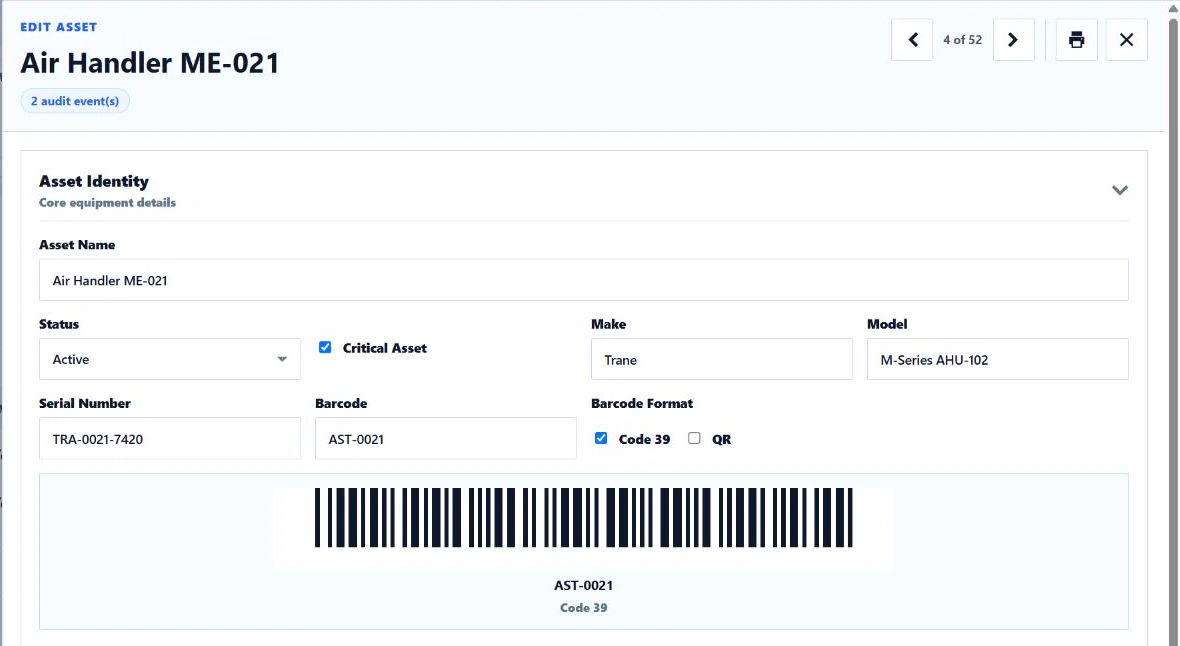
A name in a spreadsheet rarely tells the next technician enough. Record the equipment make, model, serial number, status, and criticality. Add photos, files, warranty details, and service contract information so the team has a place to look before starting work.
Find it in the building
Organize equipment by campus, building, floor, and room. Add a geographic pin to show its position on the facility map, then place an indoor pin on an uploaded floor plan. Both pins supplement the location fields. In the record’s floor-plan view, switch from This record to All pins to see nearby equipment and open work.
Connect equipment to maintenance
Link assets to corrective Work Orders and recurring PM schedules. A job can cover more than one asset. Keep the equipment connection with the assignment, checklist, technician notes, photos, and recorded labor and material costs.
Keep readings with the equipment
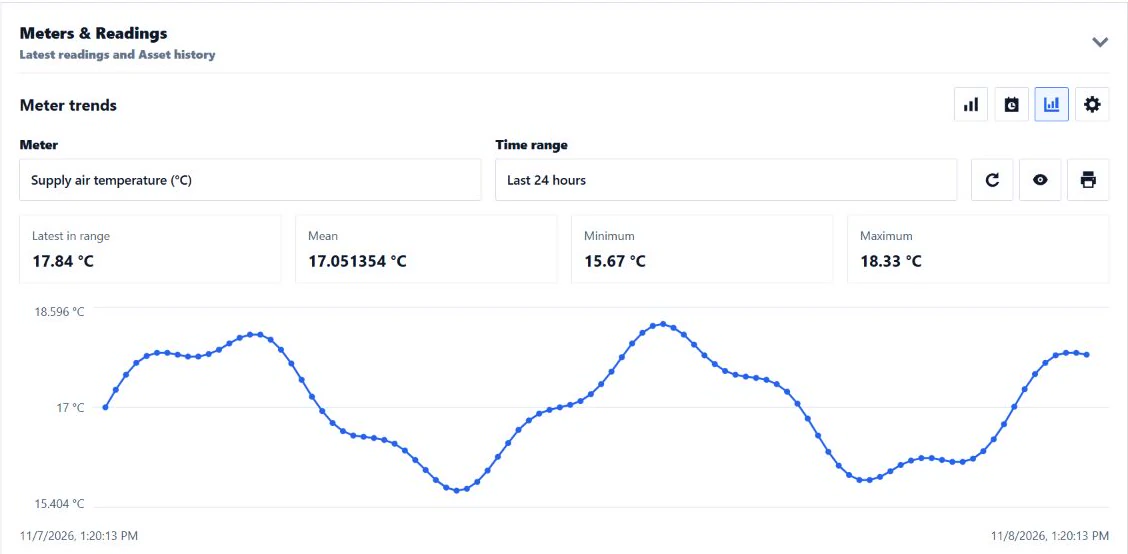
Set up a meter for a measurement such as temperature or runtime, then connect a supported feed. Check the latest reading, when it was measured, and whether it has gone stale. History stays with the Asset when a sensor is replaced. Review a meter’s trend over a selected period or compare readings in reports and Dashboard widgets.
Label equipment for the field
Save an asset barcode and choose Code 39 or QR for its printed label. Print labels from the filtered Asset list. In supported browsers, scan the label within CMMSAI’s asset lookup to find the matching equipment. The code identifies the asset within the app.